Nam Vu Personal Site
  • Home
  • My Works
  • My Photos
  • My Blog
  • Pet Projects
  • Freebies
  • About
Nam Vu Personal SiteNam Vu Personal SiteNam Vu Personal SiteNam Vu Personal Site
  • Home
  • My Works
  • My Photos
  • My Blog
  • Pet Projects
  • Freebies
  • About
October 1, 2018

Oct 2018: A little update

  • Posted By : Nam Vũ/
  • 0 comments /
  • Under : Rants
So it’s been exactly 5 months since I last quit my old job, and I’ve yet to find a new one. Definitely did not think it’d be this tough to find a new job, I was over confident in my skills.
I’ve burned through the last of my unemployment check
My and my wife had burned through half of our savings trying to conceive a child (and bad coin investments).
So far all had been for naught, and we might need another 100 mil for IVF.
My dad still has kidney stones, might need surgery.
My mom’s leg is going bad, might need surgery. (Update: the diagnosis results came back, it is very possible my mom has lung cancer, just like my grandma. I wasn’t ready for this, but I have to)
If I don’t get a job some time this month, I’ll definitely be cutting into the rest of my saving.
I guess this is what you’d call rock bottom.
Is it time to abandon my passion as a graphic artist, and look for something else? Never thought this profession would be so treacherous, you get over 30 and suddenly you’re unwanted trash.
Is it time to abandon Hanoi? This backwater place has such an under developed industry that it appears to be content with operating without any decent graphic artist.

September 28, 2018

After all these years

  • Posted By : Nam Vũ/
  • 0 comments /
  • Under : Randomness

2sbgIVU

This is still probably one of the best UI ever created for a desktop application.

I wonder who made it and where they are now

#rememberingWINAMP


September 17, 2018

Installing multiple WordPress modules for Bitnami WAMP Stacks

  • Posted By : Nam Vũ/
  • 0 comments /
  • Under : Linux, Tips & Tricks

wordpress tweet image db7682f0029f47f5e947e11e079a9f33

I absolutely love Bitnami due to its sheer simplicity in making the process of setting up a local web stack a complete breeze, especially how adding modules like WordPress, Drupal, Magento etc. is as easy as installing Skype. There’s one thing that bothers me with the module installers though, is that there’s no multi installation option available during the installation process. Well after a bit of digging around, I realize that the option is there, but for some reason it’s not baked into the GUI installer. Instead you’d need to pass the option using the command line interface. That’s not a problem for me but many people who’s not familiar with the CLI may find it a hassle, which it is. But once you get the hang of it, it’s actually the easiest way to add additional installation of a webapp to your development stack (yes, even easier than doing it manually since you don’t have to go through the database creation process).

To install the WordPress module into an alternative location, you need to use the switch –wordpress_instance_name NEW_BLOG where NEW_BLOG is the directory you want to install your copy of WP in.

Specifically, here’s the instruction for each platform:

Windows

shell> ./bitnami-wordpress-VERSION-module-windows-installer.exe --wordpress_instance_name NEW_BLOG_NAME

Linux

Only use sudo if the stack was installed as root.
sudo chmod a+x bitnami-wordpress-VERSION-module-linux-x64-installer.run
sudo ./bitnami-wordpress-VERSION-module-linux-x64-installer.run --wordpress_instance_name NEW_BLOG_NAME

Mac OS X

hdiutil mount bitnami-wordpress-VERSION-module-osx-x86_64-installer.dmg
/Volumes/WordPress\ Module\ VERSION/BitNami\ WordPress\ Module.app/Contents/MacOS/installbuilder.sh --wordpress_instance_name NEW_BLOG_NAME

Once you have the module installed, you will be able to access it through http://localhost/NEW_BLOG_NAME

(if you launch it using the launcher, it will still go to the default address http://localhost/wordpress, you will need to enter the address manually in the URL bar).

Bitnami is a great product and hopefully the company will have enough money to afford a read developer who could put this simple option in the GUI installer soon.


August 27, 2018

Honest Logos: Vietnamese version

  • Posted By : Nam Vũ/
  • 0 comments /
  • Under : Randomness

6d6Lwo2

I just came across Viktor Hertz’s Honest Logos and I’m kinda inspired, I’m thinking of doing a similar series focusing on common brands in Vietnam. But I need some ideas, any suggestion?

Off the top of my head, I got:

  • VCB: largest bank with worst customer service
  • Miniso: Chinese stuffs masquerading as Japanese stuffs
  • Mumuso: same as Miniso but masquerading as Korean stuffs instead of JP
  • VTV: Vietnam’s disgrace of a national television network
  • FLC Group: Fuck Life, build Cable cars
  • What else you guys got?

August 23, 2018

A Discord-like color scheme for Slack

  • Posted By : Nam Vũ/
  • 0 comments /
  • Under : Tips & Tricks

2S1pnL1

I love Slack as a productivity chat client (except the ridiculous pricing) but there’s one thing I think it could use some improvement, its color scheme. Looking at Slack after coming over from Discord is like looking directly at the sun. Slack does allow you to change the color scheme of the sidebar, but the main part that you look at, you can only change via loading a custom css via their ssb-interop.js file. So here’s how you do it:

Read More


August 19, 2018

Install Unity3D on Deepin Linux 15.6

  • Posted By : Nam Vũ/
  • 0 comments /
  • Under : Linux, Tips & Tricks

DoQnK01

Okay this post is nothing but a link, which is this one:

Download Unity 2017.4.9f1 (latest version as of this post (yeah I know, it’s almost 2019 but I guess Unity isn’t big enough to hire a real Linux maintainer)

Seriously, that link should’ve been the first result when you google ‘Unity3D Installer for Linux’, but google thinks you want to read a blog post instead. Typical third rate search engine.


August 19, 2018

Installing Autodesk Mudbox 2018 on Deepin Linux 15.6

  • Posted By : Nam Vũ/
  • 0 comments /
  • Under : Linux, Tips & Tricks
Mudbox 2018 running on Deepin Linux 15.6

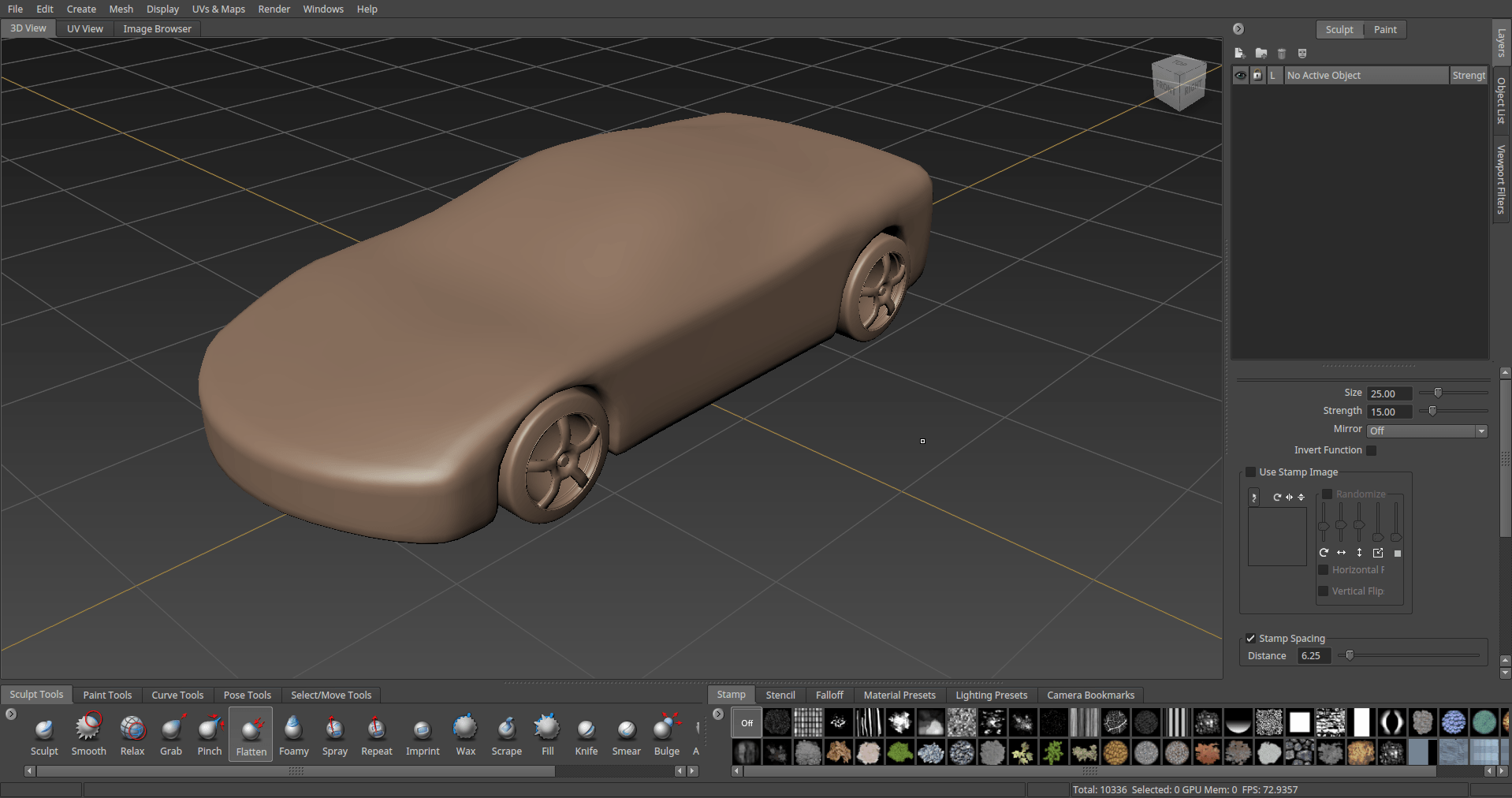
Following my previous post on how to install Maya 2018 on Linux, today I’m gonna be installing Mudbox 2018. But instead of forcing you to go through all that craps, I’m just going to condense the steps into this simple script. Just run this thing and be done with it. (If you need the installer, you can grab it directly from Autodesk, for some reasons they try to hide the 2018 version from my account, only showing 2017 and older, I had to dig up half the server to hunt down this link) Read More


August 17, 2018

Installing Autodesk Maya 2018 Update 3 on Deepin Linux 15.6

  • Posted By : Nam Vũ/
  • 3 comments /
  • Under : Linux, Tips & Tricks

Okay so this is pretty much a journal of how I managed to get Maya to run for the first time on one my my Linux boxes.

As you may have know, Autodesk is one of the major names in the graphic and VFX industry, with their line-up of industry standard softwares like 3DS Max, Maya etc.

Unfortunately, for some reasons they still couldn’t hire a capable engineer who could create a half decent installer package for the Linux platform. Maya is the only software in their lineup that is still currently being maintained for Linux, and even then it’s still using old packaging techniques from 20 years ago, made for RPM-based Linux distros (which made sense at the time since professional Linux distros are mostly RPM-based, Red Hat, CentOS, etc.). But 20 years later, with the rise of Ubuntu and its DEB-based variants, the RPM distros now hold only a fraction of the market share. And yet, for some reason, official Maya installer is still created with RPM in mind. I reckon it’s either they couldn’t afford a capable engineer, or the guy who’s responsible for maintaining Linux installers is too old to learn new technologies (as an old guy working in the tech industry myself, I deeply sympathize).

Read More


August 15, 2018

Working on Linux: Restore Firefox’s normal behavior

  • Posted By : Nam Vũ/
  • 0 comments /
  • Under : Linux, Rants, Tips & Tricks

Configure Firefox without About Config with an Add on 01

One of my main gripe when switching from Windows to Linux is that my favorite web browser Firefox doesn’t behave exactly the same way it does on Windows. Specifically, 2 things that bother me the most are:

  • The Backspace button doesn’t go back to the previous page
  • Clicking on the url address bar doesn’t automatically highlight the entire line.

Fortunately, it’s possible to change those behaviors simply by fiddling around with the settings a little bit. You’d want to go to your about:config page and change the following values:

  • Find browser.backspace_action and set the value to 0 (default is 2 or something). This will make the backspace button behave as it does in Windows.
  • Find browser.urlbar.clickSelectAll and set the value to True

And that’s about it. Personally I can’t understand why the developer would choose to keep these little annoyances. If it was just for a versions or two then we could accept it as bug but it’s been many years since these behaviors were implemented. The fact they’re still there mean that they are intended. Maybe they were made by Mozilla devs who are actually Microsoft moles who want to low-key diminish the user experience in Linux, I guess we’ll probably never know.


October 29, 2017

N.E.W Project 1: Mason Jar Chandelier

  • Posted By : Nam Vũ/
  • 0 comments /
  • Under : DIY

If you read my previous post about making a mason jar lamp all the way to the end, you know that I promised to make a goddamn chandelier out of the thing.

Well here it is.

I don’t have time to write a step by step this time, it’s very simple to be honest. You can visit my previous post about making the jar lamp, and then find an old chopping board, paint it, then hang a few of those bad boys on (in parallel)

If you care about power effeciency, you can use LEDs like in my original post. If you want to be fancy though, you can use Edison light bulbs with a dimmer to control the brightness, do keep in mind however, they are expensive. In my case here I use simple incandescent light bulb with the brightness turned way down (with a fan dimmer).

Don’t look too bad if you ask me.

PS: If you’re wandering what N.E.W mean, it’s No Electronics Weekend.

#noelectronicsweekend


« First‹ Prev111213141516Next ›
Recent Comment
  • Moke on Cursor stole your ‘code’ command? Here’s how to revert it: “Thanks!” Aug 4, 20:31
  • junior pro on Cursor stole your ‘code’ command? Here’s how to revert it: “Thanks” Jun 9, 21:04
  • User on Cursor stole your ‘code’ command? Here’s how to revert it: “Useful. Thanks” May 8, 21:39
  • Super on Cursor stole your ‘code’ command? Here’s how to revert it: “Thanks” Apr 11, 19:13
  • Hyper on Cursor stole your ‘code’ command? Here’s how to revert it: “Thanks” Mar 12, 15:39
Categories
  • AI Apps
  • AI Art
  • Design
  • Development
  • DIY
  • Freebies
  • GameDev
  • Home Networking
  • Linux
  • Music
  • My Apps
  • Randomness
  • Rants
  • Side Projects
  • Songs I like
  • Tips & Tricks
  • Tributes
  • Uncategorized
  • UX Design